

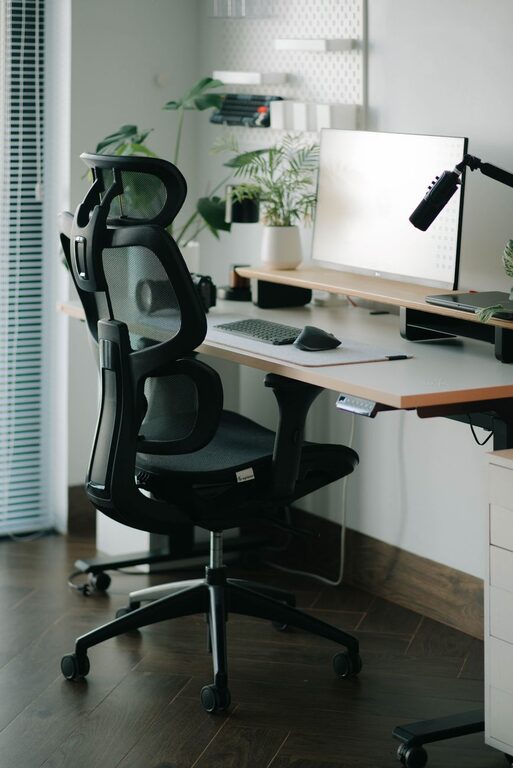
Creating an organized and comfortable home workspace can make a significant difference in your daily productivity and overall work experience. Whether you work from home full-time or occasionally need a spot to focus, having a dedicated and well-arranged space will help you stay motivated and reduce stress. Below are simple tips to help you organize your home workspace for maximum comfort and efficiency.
Choose the Right Location
Your workspace should be in a quiet, well-lit area with minimal distractions. If possible, select a spot close to natural light, such as near a window. Natural light can boost mood and energy levels, making it easier to stay focused during the day.
Avoid spaces that are heavily trafficked by family members or near noisy appliances. If you don’t have a separate room, consider using room dividers or screens to create a clear boundary between work and home life.
Declutter and Keep Essentials Handy
A cluttered space can quickly become overwhelming and distracting. Start by removing items you don’t need—excess paperwork, old electronics, or anything unrelated to your work.
Use drawers, shelves, or filing cabinets to store materials you want to keep but don’t use daily. Keep your desktop clear except for essential items like your computer, a notebook, and a pen. Minimalism helps your mind stay clear and your focus sharp.
Helpful Organization Tools
– Desk organizers: Use trays, pen holders, and small cups to keep supplies neat.
– Cable management: Velcro straps or cable clips can prevent cords from tangling.
– Storage bins: Label bins or boxes for documents, chargers, and other items.
Invest in Comfortable and Ergonomic Furniture
Since you’ll spend hours at your desk, prioritize comfort. Choose a chair with adjustable height and good lumbar support to protect your back and posture.
Your desk height should allow your forearms to rest at about a 90-degree angle while typing. If needed, use a footrest to ensure your feet are flat on the floor.
Proper monitor placement is crucial. Position the screen so the top aligns with your eye level and about an arm’s length away. This setup reduces neck strain and eye fatigue.
Optimize Lighting for Comfort and Focus
Good lighting can help reduce eye strain and fatigue. Combine natural light with artificial sources to create a bright, evenly lit workspace.
Avoid harsh overhead lights or glare on your computer screen. Desk lamps with adjustable brightness levels are great for customizing light based on your tasks.
If you take frequent video calls, position your lighting to avoid shadows on your face and keep your background tidy.
Create a Personal and Motivating Environment
Add touches that keep you inspired and comfortable without creating clutter.
– Plants: Small houseplants can improve air quality and add a calming green touch.
– Artwork or photos: Display simple, uplifting images or family pictures.
– Inspiring quotes: A quote board or framed print can boost your motivation.
– Comfort items: A soft blanket or a cushion can add physical comfort during long work sessions.
Make sure decorations don’t overcrowd your workspace or distract you from tasks.
Develop a Daily Routine to Maintain Organization
An organized workspace is easier to keep tidy with a consistent routine.
– Spend 5 minutes at the start and end of your workday to tidy your desk.
– File documents or discard papers you no longer need.
– Charge electronics regularly and put them away properly.
– Review and reorganize supplies monthly to keep everything functional and accessible.
Maintaining order regularly prevents clutter build-up and supports productivity.
Use Digital Tools for Paperless Organization
Going digital can reduce clutter and improve access to important information.
– Scan and save documents instead of keeping paper copies.
– Use task management apps to track projects and deadlines.
– Organize files in clear, labeled folders on your computer.
– Backup important files regularly to avoid loss.
Reducing paper saves space and streamlines your workflow.
Manage Noise and Distractions
Consider ways to reduce background noise and interruptions.
– Use noise-cancelling headphones or play soft instrumental music if it helps you focus.
– Communicate your work hours clearly to family or housemates.
– Use “Do Not Disturb” signs or signals when deep focus is required.
Creating a calm, distraction-free environment supports sustained productivity.
—
Organizing your home workspace doesn’t have to be complicated or expensive. By selecting the right location, decluttering, investing in comfort, and maintaining routines, you can create a space that supports your best work every day. With a bit of effort and care, your home office can become a place where productivity and comfort go hand in hand.