

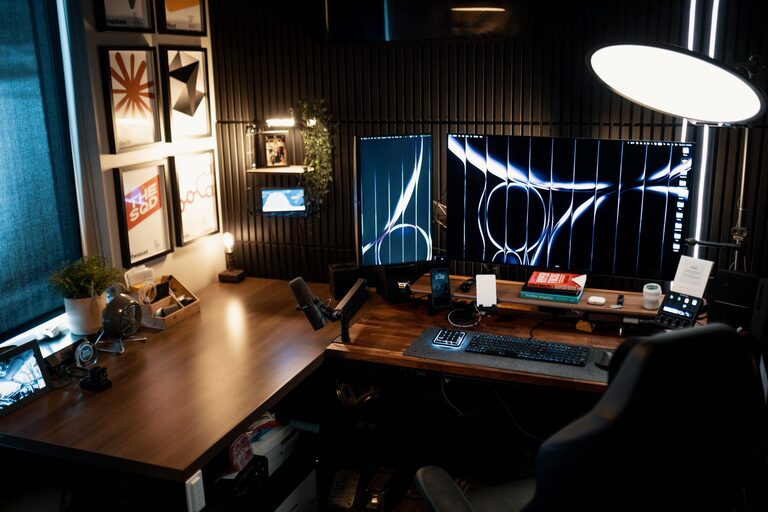
Creating a home office that is both cozy and productive can make a significant difference in your work-from-home experience. Whether you have a dedicated room or just a small corner, the right setup can help you stay focused while feeling relaxed and comfortable. This guide covers practical tips to help you design a home office space that works well for your needs.
Choose the Right Location
Find a Quiet Spot
Select a space in your home where distractions are minimal. It might be a spare room, a nook in your bedroom, or a corner in your living area. If noise is an issue, consider adding soundproofing options like rugs, curtains, or even a white noise machine to create a more peaceful environment.
Prioritize Natural Light
Working near a window offers natural light, which can improve mood and reduce eye strain. Aim to position your desk where you can enjoy daylight without glare on your computer screen. If natural light is limited, invest in quality lighting that mimics daylight.
Invest in Comfortable and Functional Furniture
Ergonomic Chair and Desk
Comfort is key for long hours of work. An ergonomic chair that supports your back and encourages good posture helps prevent discomfort and fatigue. Pair it with a desk at the right height to keep your arms and wrists comfortable while typing.
Flexible Work Surfaces
If space allows, consider a desk with adjustable height options so you can alternate between sitting and standing. Alternatively, having a small side table or shelf nearby provides additional space for organizing supplies or documents.
Organize Your Space for Efficiency
Declutter and Simplify
Keep your desk tidy by limiting the items you use daily. Use organizers, trays, or drawers to store supplies out of sight but within reach. A clutter-free workspace reduces stress and makes it easier to focus.
Use Storage Solutions
Shelves, filing cabinets, and storage bins help keep paperwork and office materials orderly. Label containers to quickly find what you need. If your space is limited, vertical storage can maximize room without crowding your floor area.
Add Personal Touches for Coziness
Incorporate Soft Textures
Add rugs, cushions, or throws to make your space feel warmer and more inviting. Soft textures not only increase comfort but also help with sound absorption, reducing echo in your office.
Include Plants or Artwork
Indoor plants can improve air quality and add a refreshing pop of green. Artwork or photos provide visual interest and inspiration. Choose items that make you feel calm and motivated without distracting from work.
Enhance Focus with Technology and Tools
Use the Right Equipment
Invest in a reliable computer, a good-quality monitor, and accessories like a keyboard and mouse that suit your workflow. Consider noise-canceling headphones if you need to block out ambient sound.
Manage Cables and Devices
Keep cords organized with clips or covers to prevent tangling and reduce clutter. Charge devices away from your main workspace to maintain a clean and distraction-free desk.
Maintain a Healthy Work Routine
Set Boundaries and Breaks
Designate your home office as a work-only zone to create mental boundaries between work and personal life. Take regular breaks to stretch and rest your eyes, which helps maintain productivity throughout the day.
Personalize Your Schedule
Allow your workspace to accommodate your daily routine. Whether you’re an early bird or a night owl, arrange your setup so that it supports when and how you work best.
Final Thoughts
Designing a cozy and productive home office is about balancing comfort and functionality. By thoughtfully selecting your space, investing in furniture, organizing effectively, and adding personal elements, you can create an environment where working from home feels both efficient and enjoyable. Remember, the best home office is one that suits your unique needs and helps you stay motivated every day.